Wrkflow Automation
Open Wrkflow Automation from the platform sidebar (rocket icon) to manage, review, launch, and debug your Wrkflows.

Wrkflow Automation is the operational hub for your account's Wrkflows. You do not design or edit Wrkflow logic here (that happens in the Wrkflow Designer). Instead, this is where you find Wrkflows, start Launches, configure Triggers, review Launch history, and inspect individual Launches with the Launch Console and Debug Console.
The Wrkflow Automation screen
The home screen lists every Wrkflow in your account. Search and filter the list, open Wrkflow Properties for team-facing metadata, or use the launch icons on each row to start a Launch.
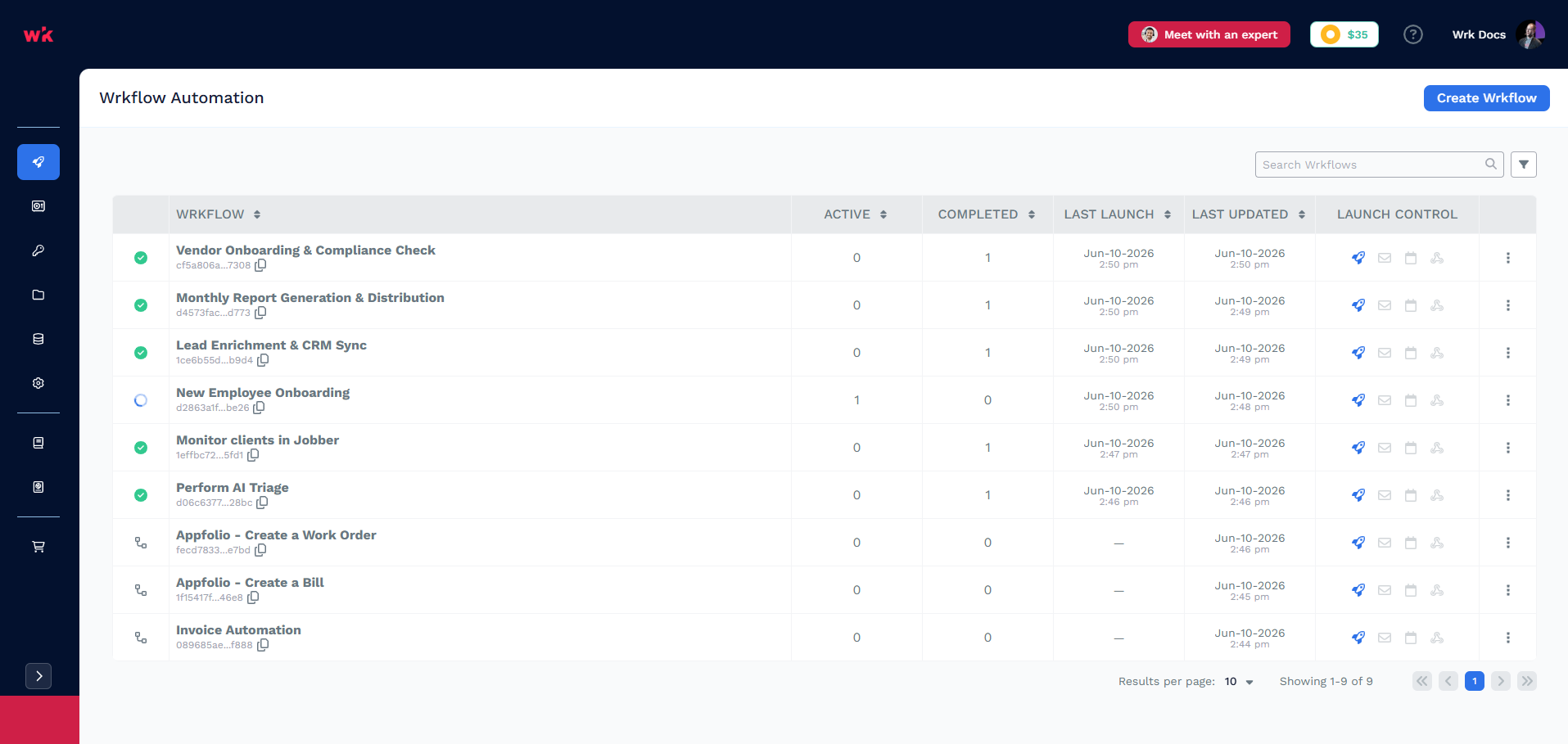
| UI element | What it tells you |
|---|---|
| Wrkflow name | Human-readable identifier; click to open Launch history |
| Wrkflow UUID | Stable ID for API launches and the Launch a Wrkflow Action |
| Active | Launches currently in progress |
| Completed | Launches that have finished |
| Last launch | Most recent Launch start time |
| Last updated | When the Wrkflow design was last saved |
| Launch controls | Quick access to launch methods (rocket, envelope, calendar, and more). See Triggers and Launches |
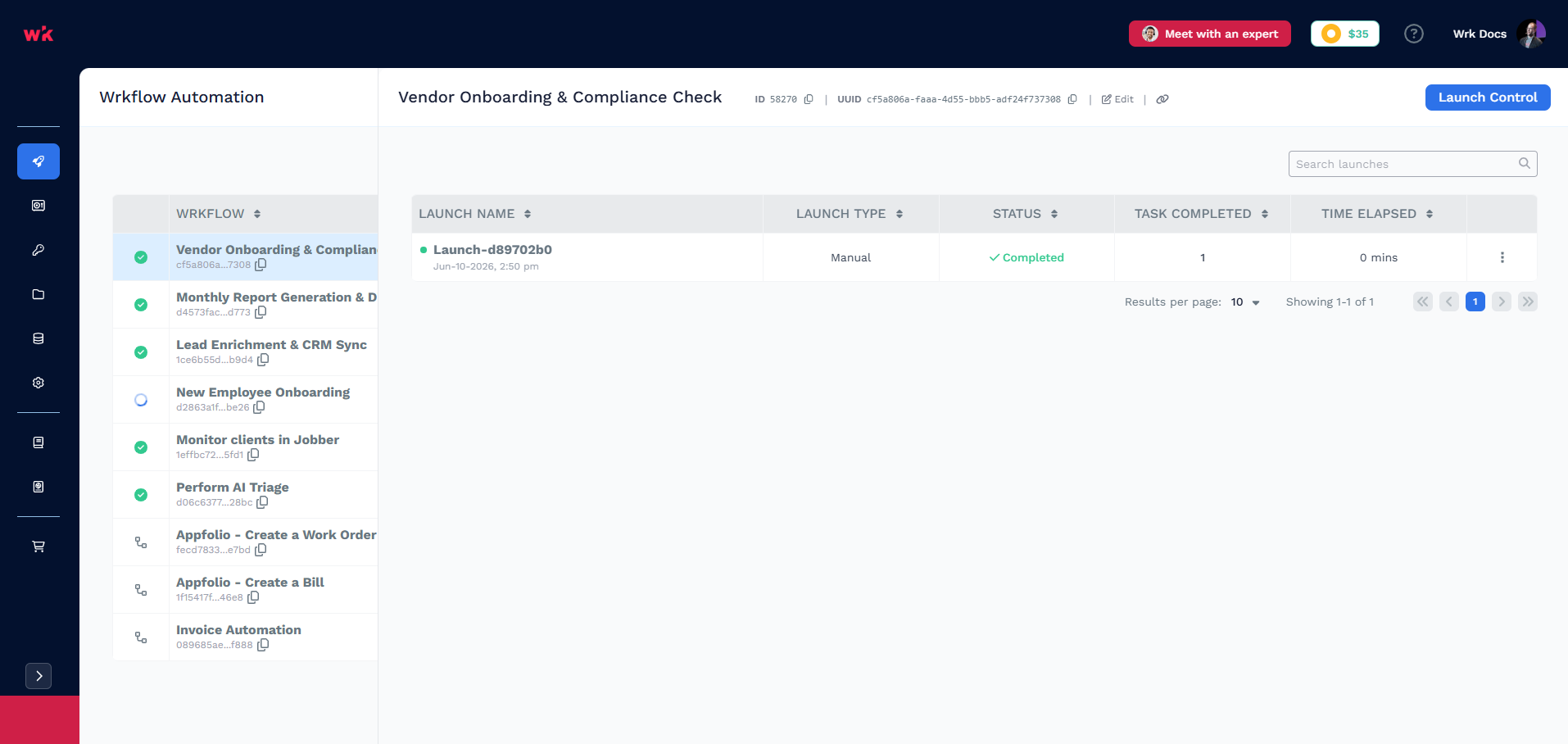
Select a Wrkflow to open its launch panel. From here you can review Launch history, see Launch status, open Launch Control to start a new Launch, and reach the Launch Console and Debug Console for a selected Launch.
What you can do here
- Wrkflows — what a Wrkflow is, how it runs, and Wrkflow properties your team can reference
- Launches — every Launch of a Wrkflow: status, launch type, search, and rename
- Launch Console — activity timeline for a single Launch, including billing, errors, and custom log events
- Debug Console — Wrk Action execution list with inputs, outputs, outcomes, and execution IDs
- Triggers — configure how a Wrkflow starts (manual, email, schedule, webhook, or API) from Launch Control and the launch icons on each Wrkflow row
Related resources
- Triggers — how Launches start
- Building a Wrkflow — quickstart for designing your first Wrkflow
- Launch Console guide