Configuring Long Text Fields
When configuring specific Wrk Actions, you may find fields with a "book" icon.

These are Long Text configuration fields which allow you to write plain text and multiple data points from Wrk's Data Library into one field;

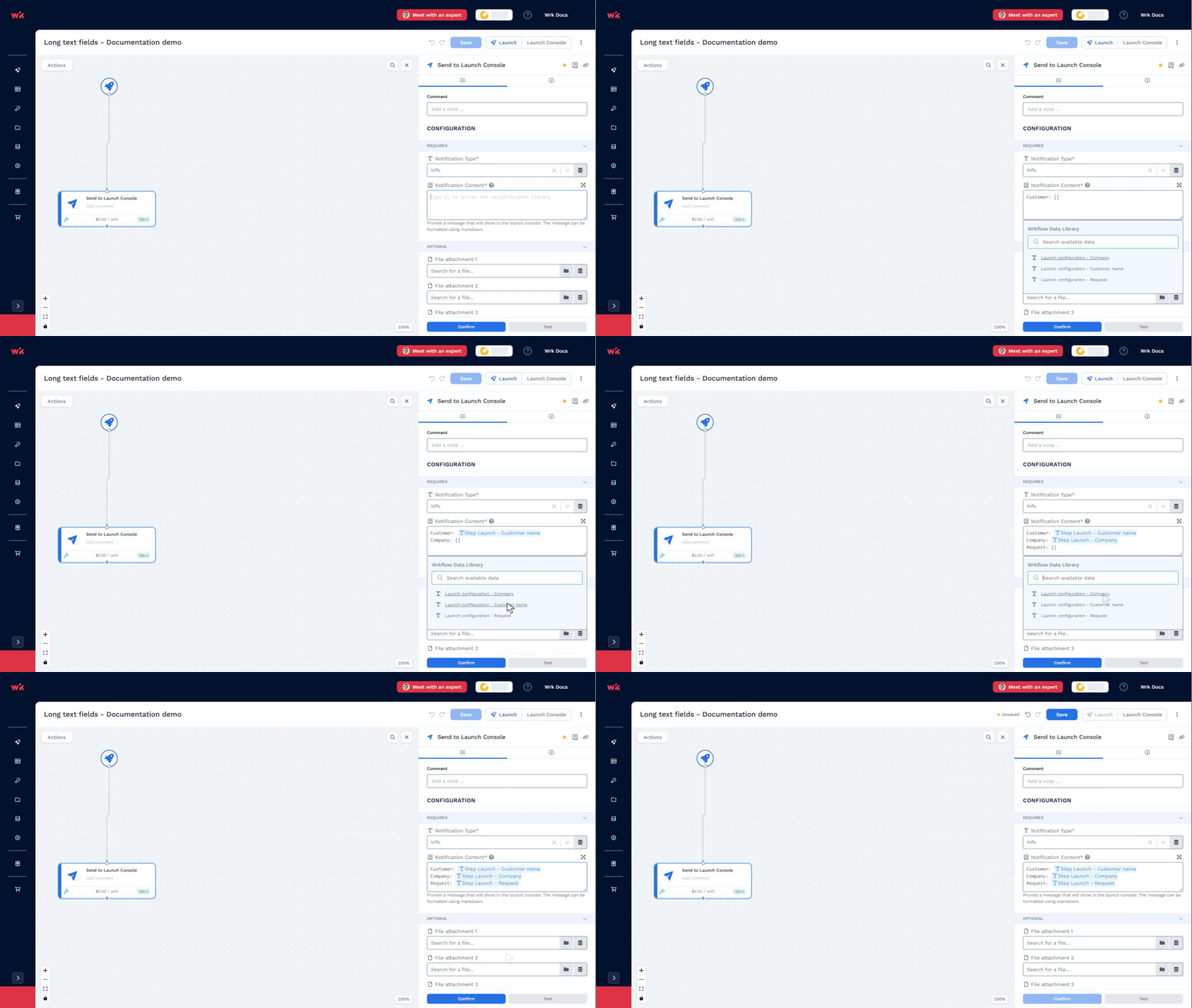
You can type any plain text into this field. To insert items from the Data Library in this type of field, you can type {{ as shown below.
For some Wrk Actions, like the "Send email to inform" Wrk Action, you can also add HTML for formatting. In the Email body field, use <br> wherever you want a line break in the delivered email. For example, Hello,<br>Here is your update. displays the greeting and update on separate lines.
Remember to select the “Confirm” button at the bottom of the panel to save your changes to this field.