Launch Status Types
For any Wrkflow that has been launched, the Wrk Platform will indicate the status of the Launch for the user (note that this feature is still in Beta).
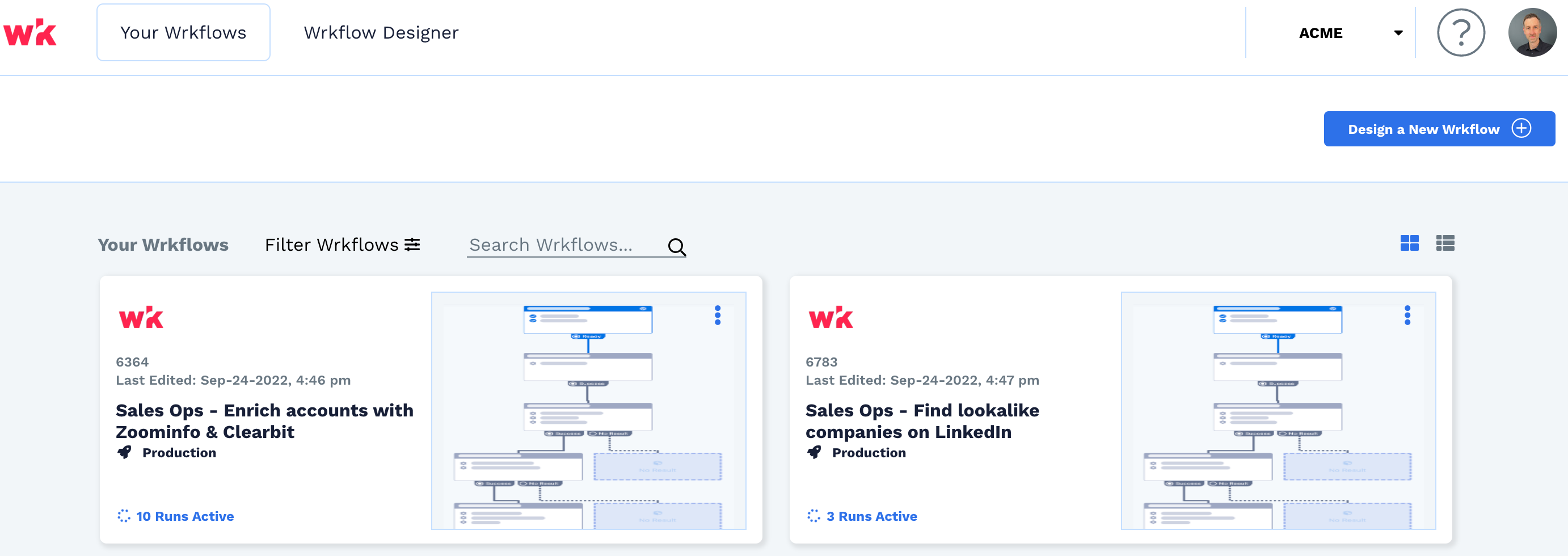
The Launch Status column can be found by clicking on the Wrkflow from the Dashboard page as seen here in the tile view.
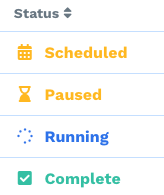
There are five statuses a Launch can be in at any given time;
Running: Your Wrkflow is currently running. For information on expected Launch duration, refer to How long does it take for a Launch to complete?.
Paused: An error has prevented the Wrkflow from running. In some cases, the Wrk Platform will assess and relaunch the Wrkflow on your behalf. A member of the Wrk Support team may also reach out with instructions on how to fix your Wrk Action configuration to clear the error and unpause the Launch. If you had any questions on why your Launch is in the Paused status you can reach out to the Support team at any time.
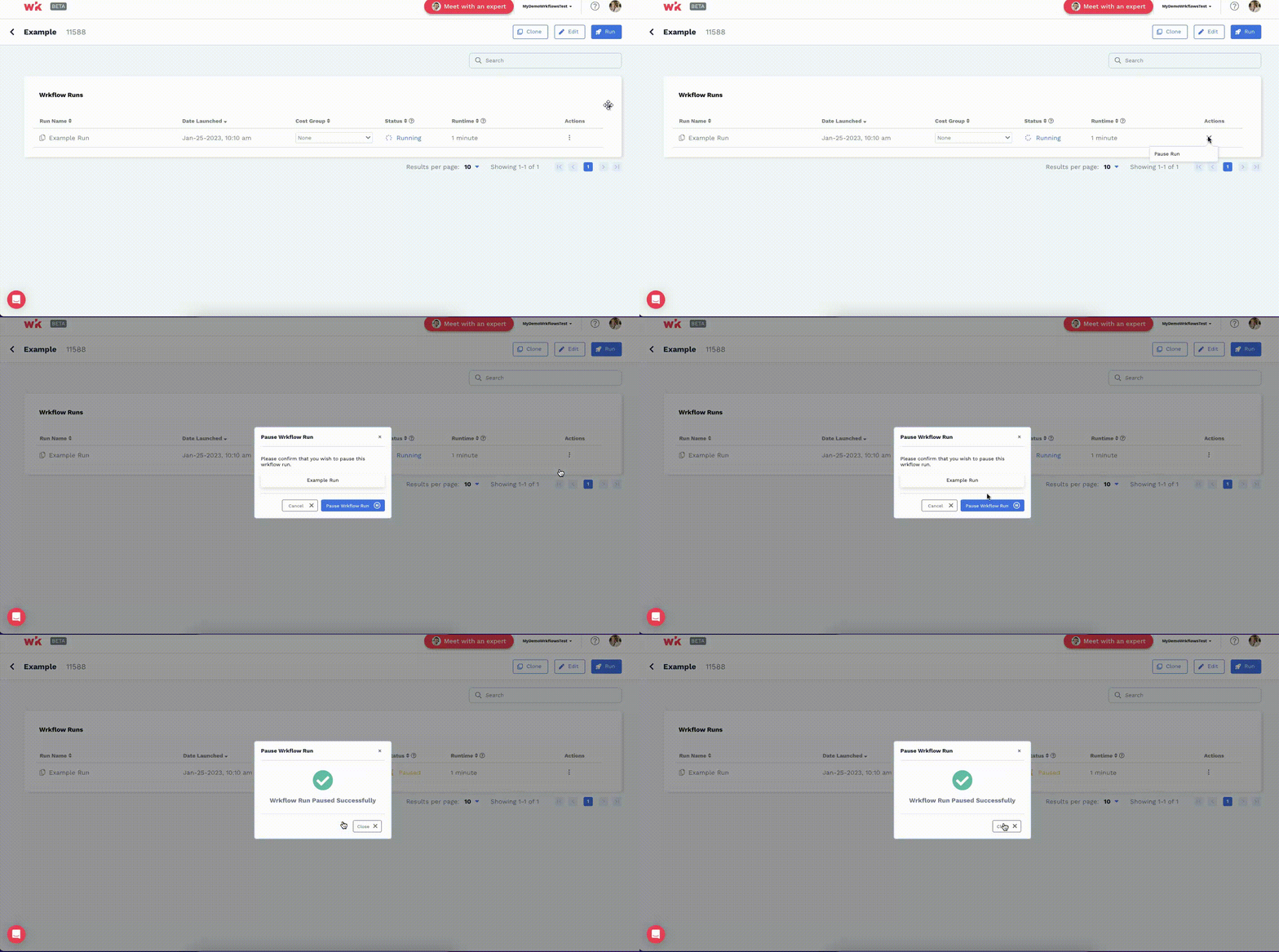
Additionally, you may Pause or Unpause your Launch if you choose to do so, by using the 3 dot menu under Actions on the Launches page.
Scheduled: The Launch has been set up by the user to run on a date in the future. This is determined when launching a Wrkflow. Please refer to our scheduled article here for more details on how.

Complete: Your Wrkflow has finished running. In some cases, your Launch may have been completed while the Wrk Platform still displays it in a "Running" status. This is due to the refresh rate within the Platform which is currently set to 10 minutes. If this is the case, you should expect the status to update to complete within that time frame. If it's been more that 10 minutes, please reach out to our Support team.
You can also reach out to our team if your wrkflow is completed, but you didn't get the results you were expecting. We're happy to help!