How do I configure a Wrk Action?
The configuration for a Wrk Action varies based on the logic of the Wrk Action and can change from one Wrk Action to another. Each Wrk Action may require configuration fields to be set based on the system and task of the Wrk Action.
To begin, select any Wrk Action card from the Wrkflow Designer. The configuration panel for the corresponding Wrk Action will appear on the right side.
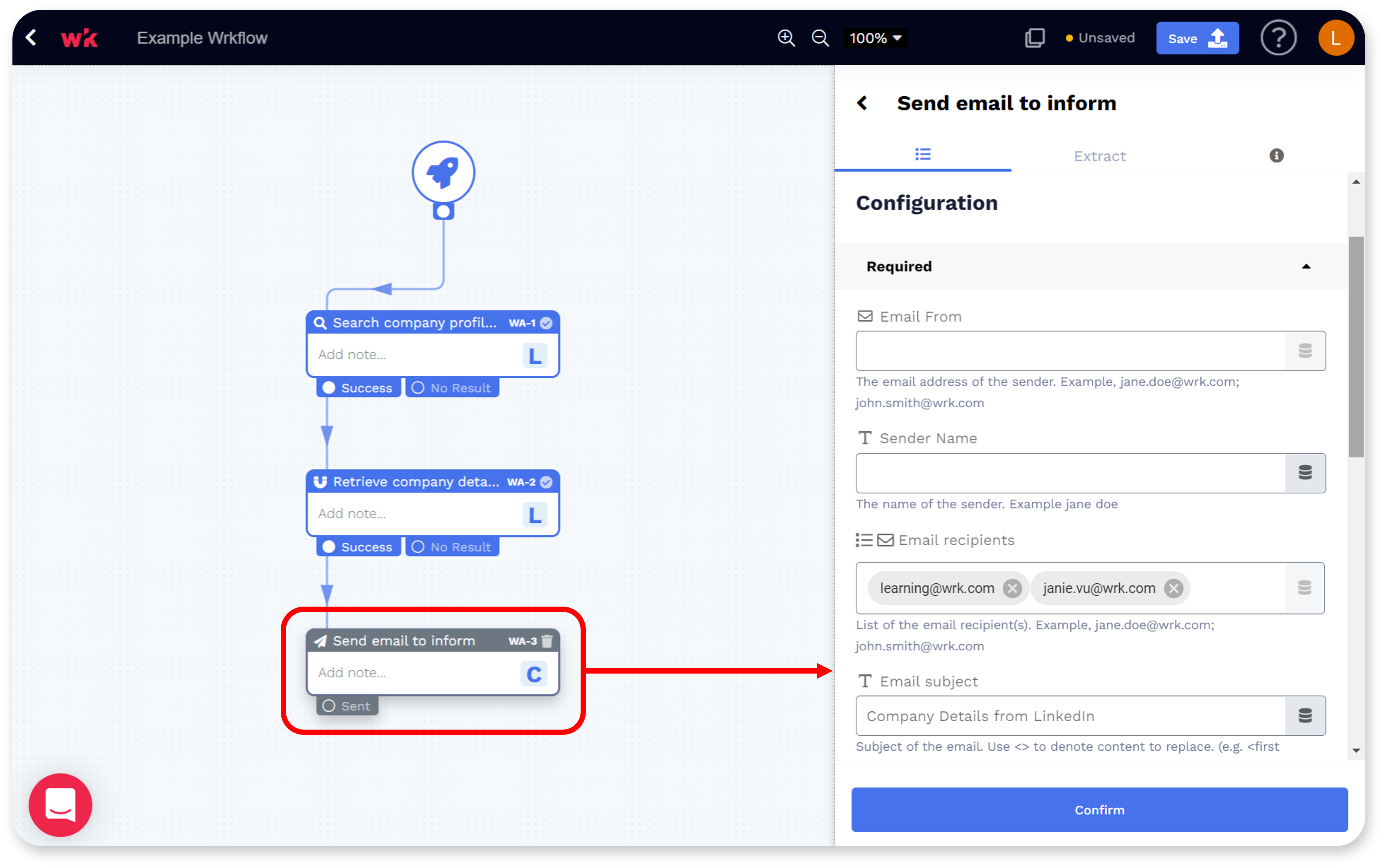
-
The Data Library icon that appears to the right of a Wrk Action field can be used to populate data from a previous Wrk Action where applicable.
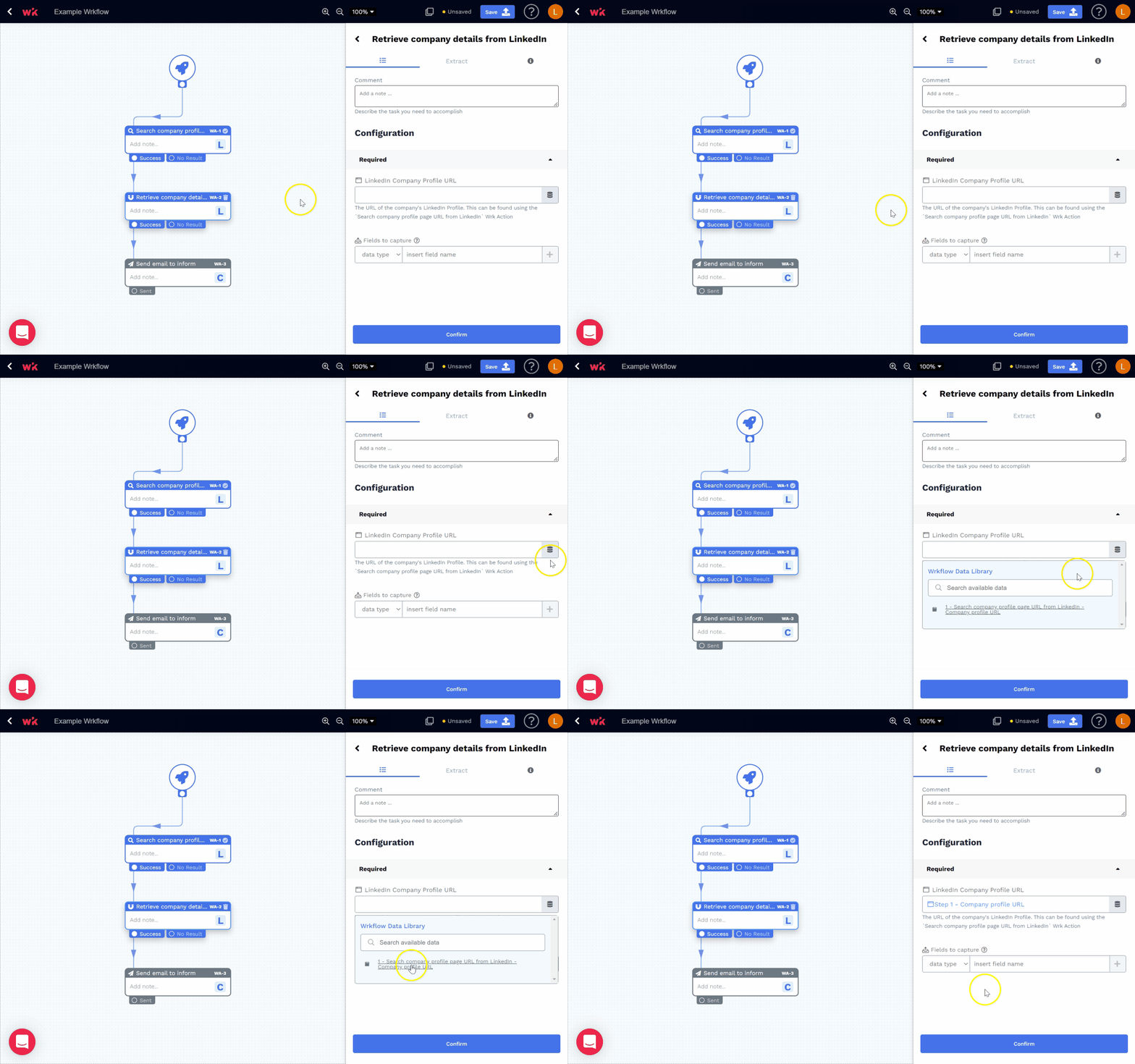
-
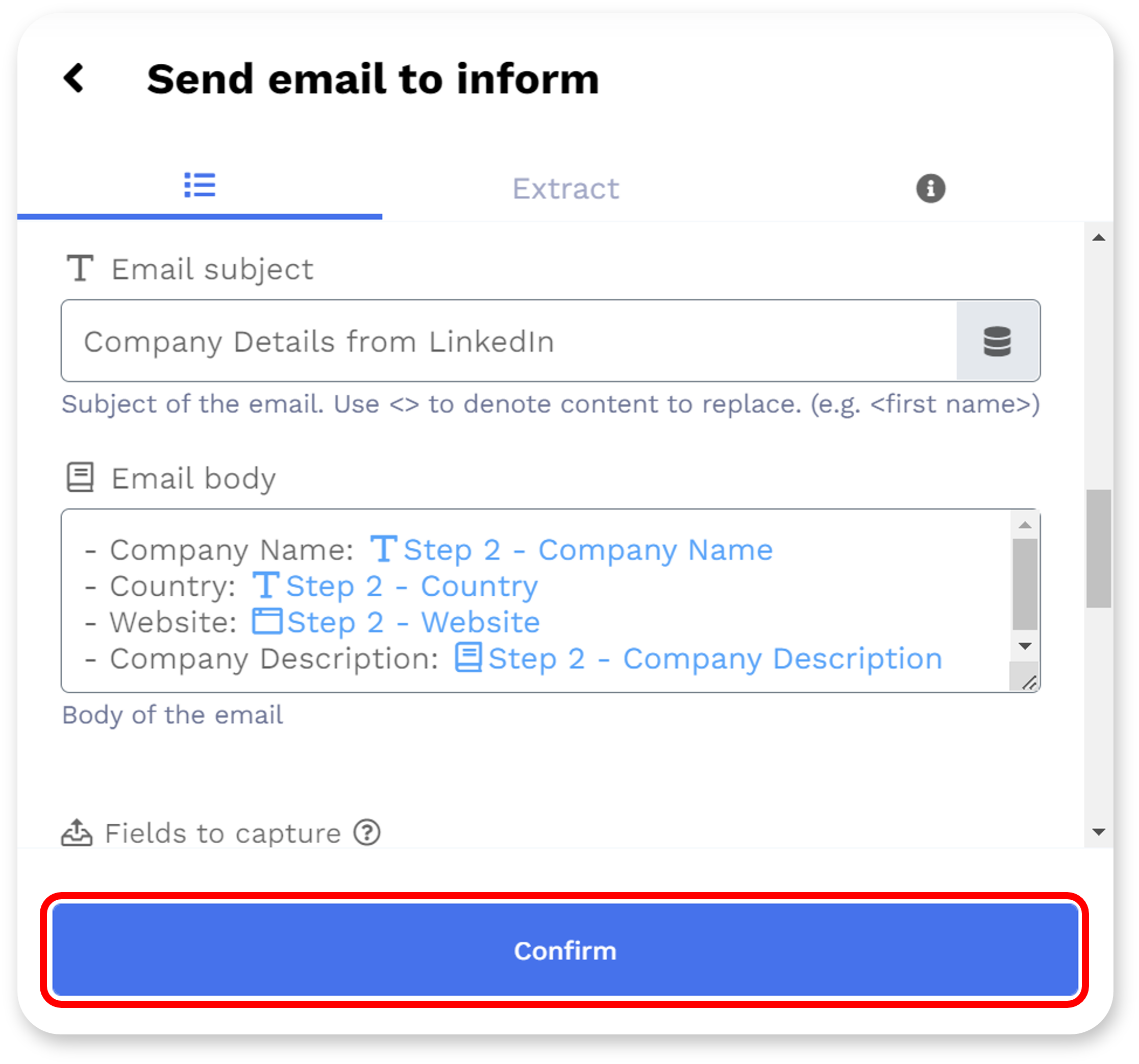
Once all the required fields for the Wrk Action are filled in, select the "Confirm" button to save your changes.
For additional information on configuring Wrk Actions, see the following articles: