Scheduling Wrkflow Launches (version 1.0)
Overview:
You can now launch any Wrkflow you want on the schedule that fits with your business needs. Just follow the steps shown in this article to launch your Wrkflow on a schedule.
Steps to Launch the Wrkflow on Schedule:
-
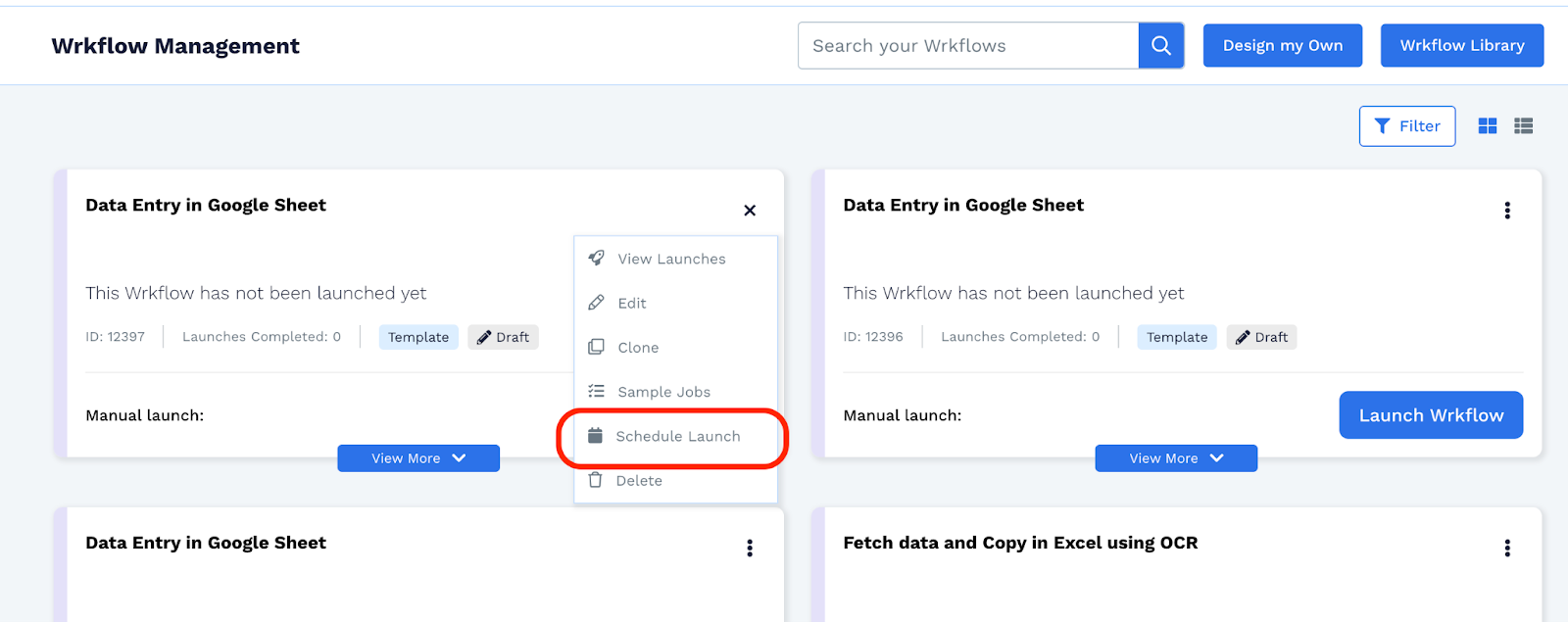
Click on the three dots in the upper right corner on the Wrkflow card.
-
From the dropdown, select Schedule Launch option.
-
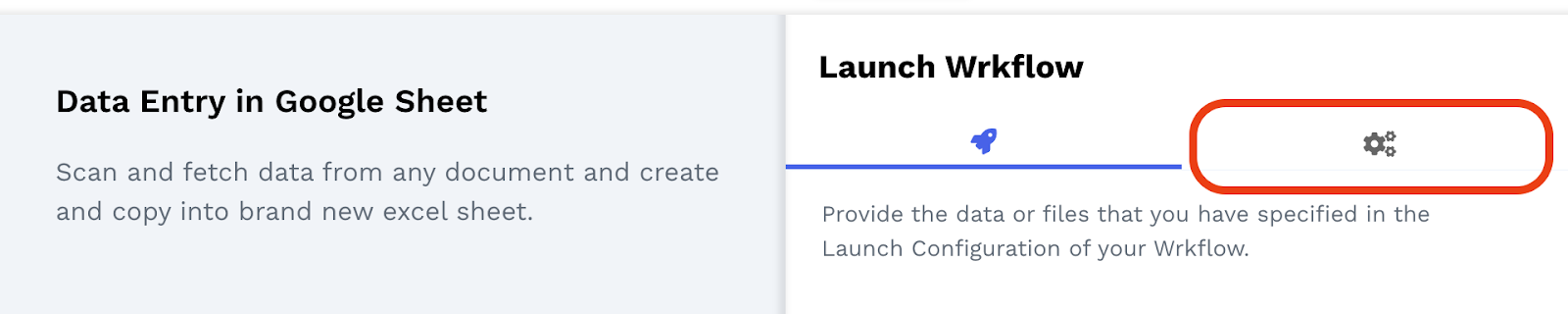
Provide the required Launch parameters and then go to the settings tab.
-
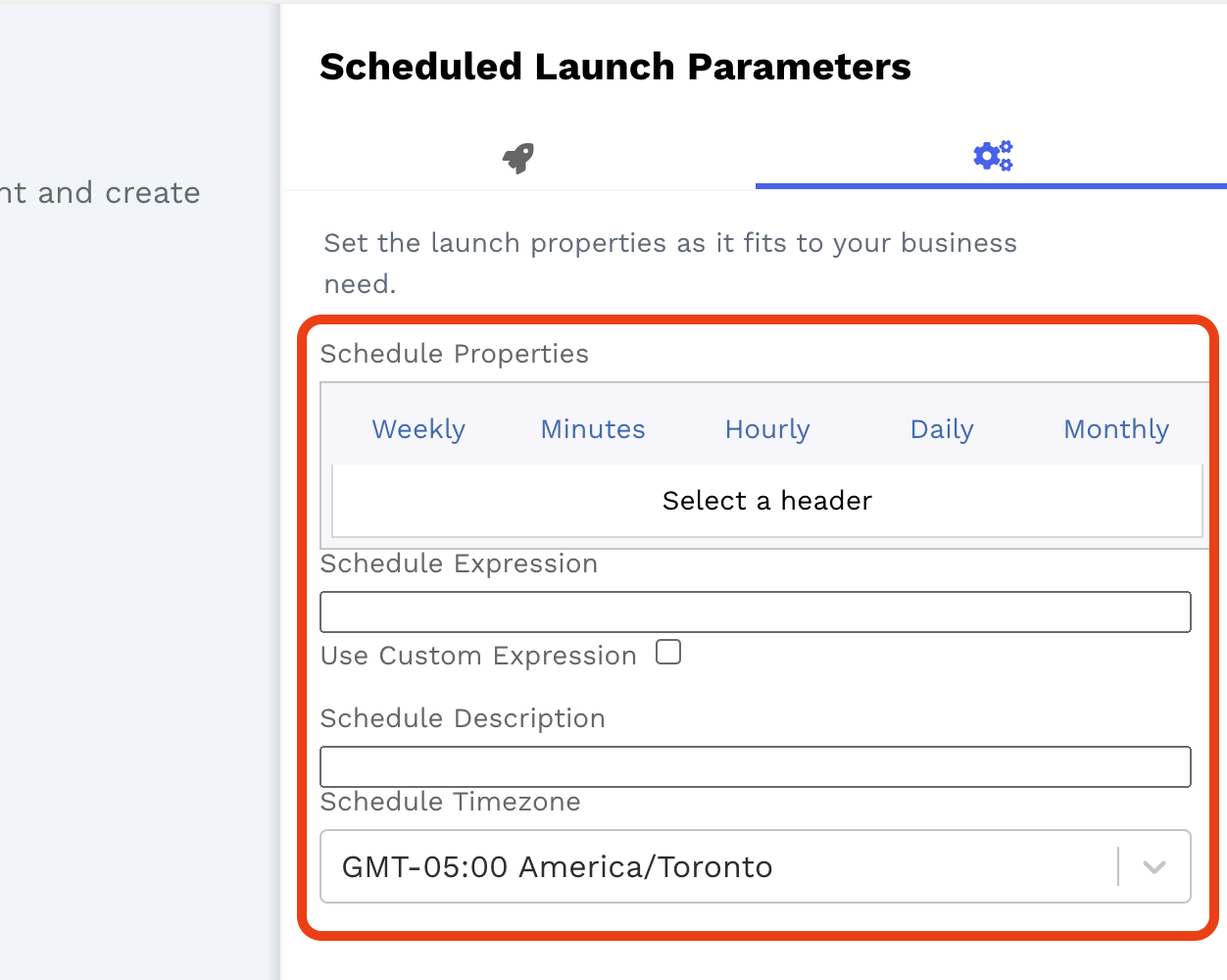
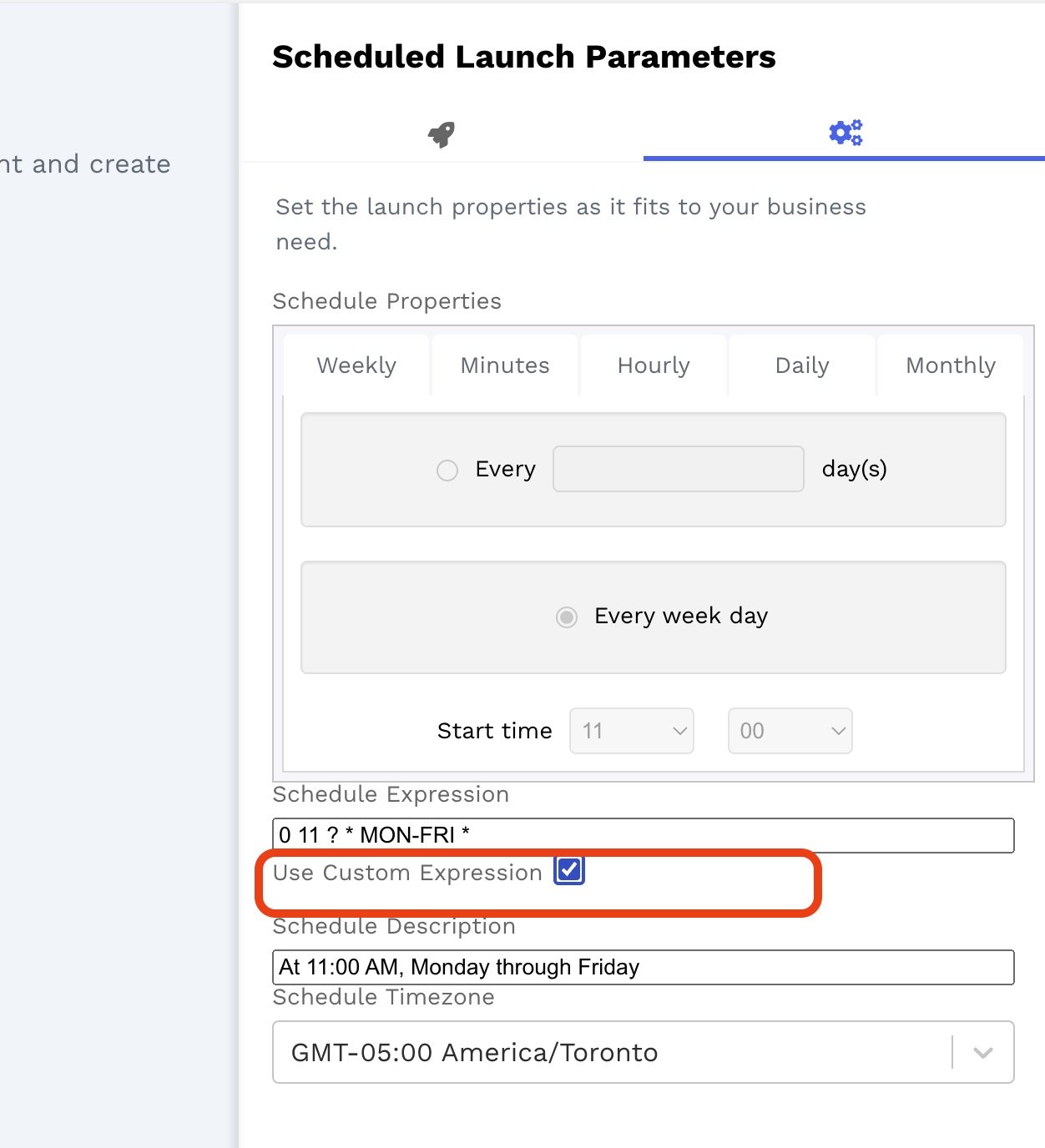
Set the desired schedule for the launch.
-
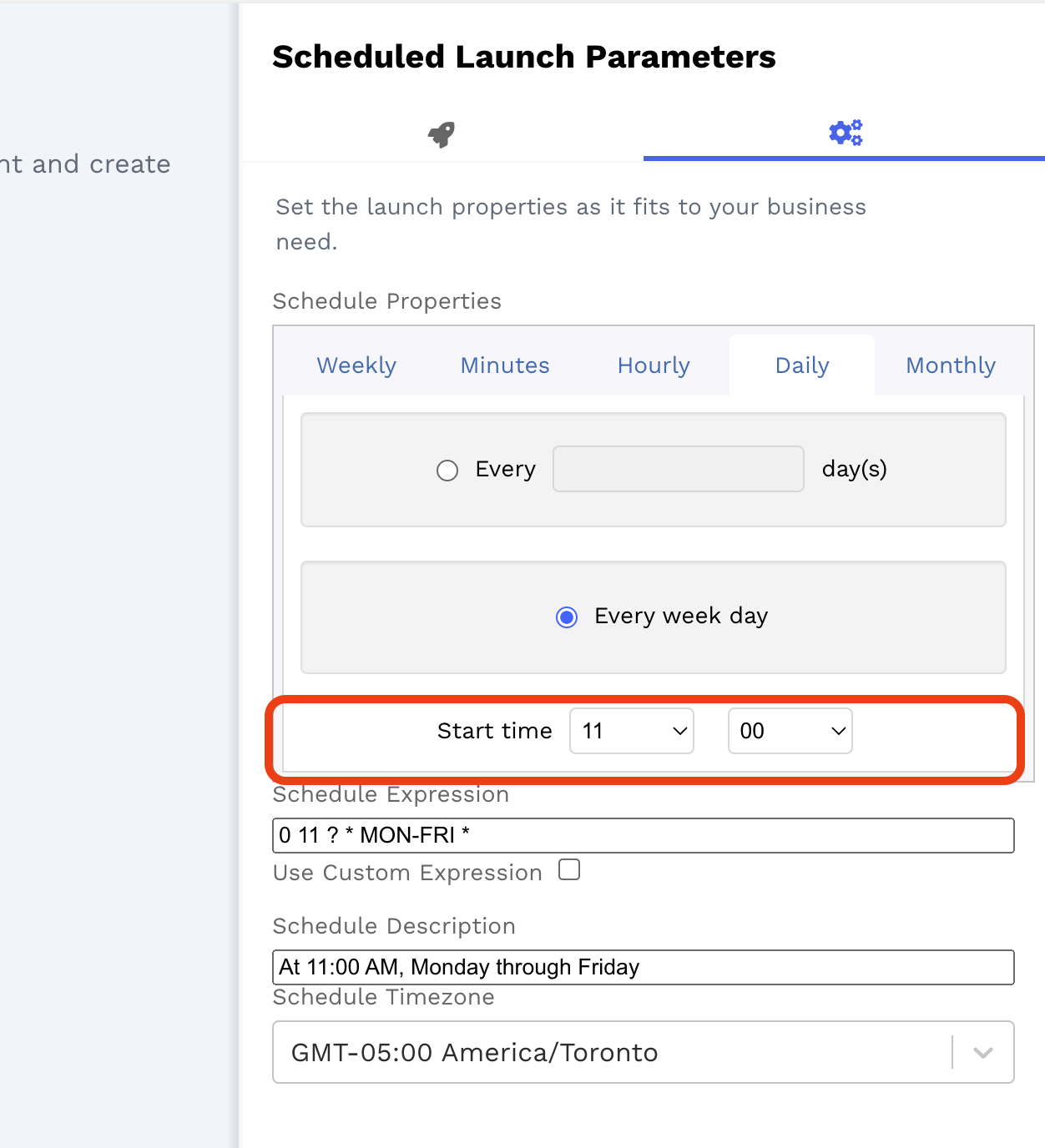
Define the start time of your Launch if it has been asked depending upon your selection. For those options, by default, it always starts at 12:00 AM at midnight from the date it has been scheduled.
-
You can also add a custom schedule as you desire by clicking on the box besides “Use Custom Expression” as shown below. This will disable the widget and you can add your Custom Schedule Cron Expression in the Schedule Expression input field. To easily create a custom schedule you can use this website then copy and paste the expression. https://www.freeformatter.com/cron-expression-generator-quartz.html
-
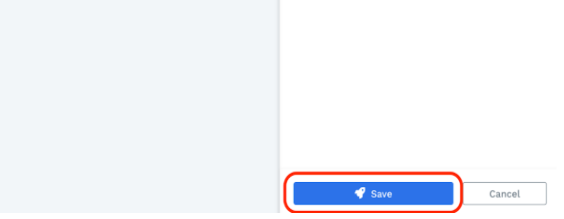
Once you have entered or selected the desired schedule, click on Save, and the schedule is now saved and live!
That’s it! Your Wrkflow will now launch at a set Schedule with the parameters that you have provided.
FAQ:
Q. Will I be able to set multiple launch schedules for any Wrkflow?
- No. With this update, you will only have one Scheduled Launch for each Wrkflow. However, will soon add the capability to set multiple scheduled launches for any Wrkflow, so stay tuned!
Q. Do all or only some of the Wrkflows support launching it on Schedule?
- You can launch every Wrkflow and set one Schedule launch for each of them.