Rename launch
Rename an existing Wrkflow launch. Launch names are non-unique and must not exceed 100 characters in length.
Use this Wrk Action when you want the launch name on the dashboard to reflect run-specific data (for example, a customer ID or file name) instead of the auto-generated default. You can also rename launches inline on the Launches screen.
Application
- Wrkflow Tools
Inputs (what you have)
| Name | Description | Data Type | Required? | Example |
|---|---|---|---|---|
| New launch name | The new name of the launch. Must not exceed 100 characters. | Text (Long) | Yes | Acme Corp onboarding |
Note: the value of inputs can either be a set value in the configuration of the Wrk Action within the Wrkflow, or a variable from the Data Library section. Type {{ in the field to pick variables from earlier Wrk Actions in the same launch.
Outputs (what you get)
N/A
Outcomes
| Name | Description |
|---|---|
| Success | This status is selected if the job has successfully completed. |
Configuration
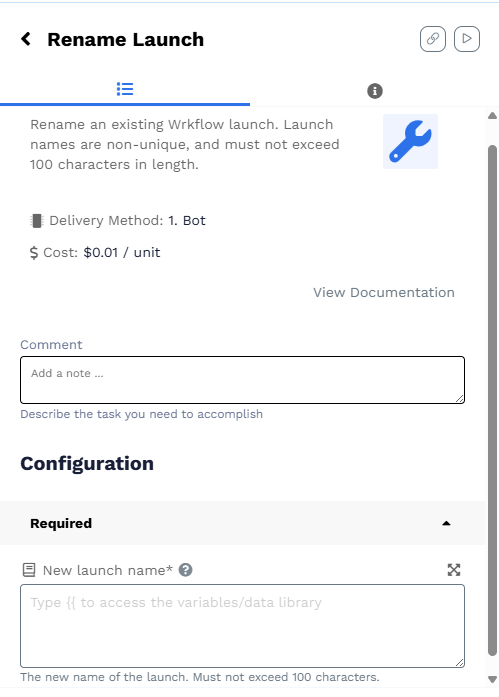
The Wrk Action renames the current launch: the Launch of the Wrkflow that is executing when this step completes. Set New launch name to a fixed string or bind it to Data Library values so each Launch gets a descriptive name on the Launches table.
Requirements
- N/A